Your cron jobs are failing silently.
Crontify tells you the moment a scheduled job misses its window, hangs indefinitely, or exits with an error — before your users notice something is wrong.
Free plan includes 5 monitors. No credit card required.
Scenarios you've already lived through
- Your backup job failed silently for three weeks.
- The email digest never sent. Users assumed you stopped caring.
- A payment processor timed out. Nobody knew until the next morning.
- Your database cleanup ran twice and caused duplicate records.
- That report your CEO needed? It never ran.
Every one of these was preventable. None of them needed to happen.
Up and running in minutes
Add three lines of code to your existing job. That's the entire integration.
01
Create a monitor
Define the cron expression, grace period, and which channels get alerted. Takes about 30 seconds.
02
Instrument your job
Wrap your existing job with the SDK — or just fire raw HTTP pings if you prefer. No infrastructure changes.
03
Get on with your life
Crontify watches your schedule and alerts you the moment something deviates. You stop checking logs manually.
// Before — flying blind
async function sendDailyDigest() {
  await processEmails();
}

// After — full visibility
import { CrontifyMonitor } from '@crontify/sdk';
const monitor = new CrontifyMonitor({ apiKey: 'ck_live_...', monitorId: '...' });

async function sendDailyDigest() {
  await monitor.wrap(async () => {
    await processEmails();
  });
}
Built for scheduled job monitoring
Not a general-purpose tool stretched to fit. Every feature exists because scheduled jobs have specific failure modes that nothing else catches.
Missed run detection
Know immediately when a job fails to start within its expected window. Configurable grace periods per monitor.
Hung job alerts
Jobs that start but never finish. They don't throw errors — they just run forever. Crontify catches them.
Output-aware alerting
A job that runs successfully but processes zero rows is still a failure. Set rules on job output values and get alerted even when exit codes are clean.
Log attachment
Attach stdout/stderr to failed runs via the SDK. First 500 chars appear directly in your Slack alert. Full log available in the dashboard.
Run history
Paginated run history with duration trends, success rates, and anomaly detection for runs that took significantly longer than their baseline.
Multi-channel alerts
Slack, Discord, email, and webhooks. Alert deduplication prevents floods. Recovery alerts fire automatically when a job returns to healthy.
See it in action
Everything you need to know about your scheduled jobs, in one place.
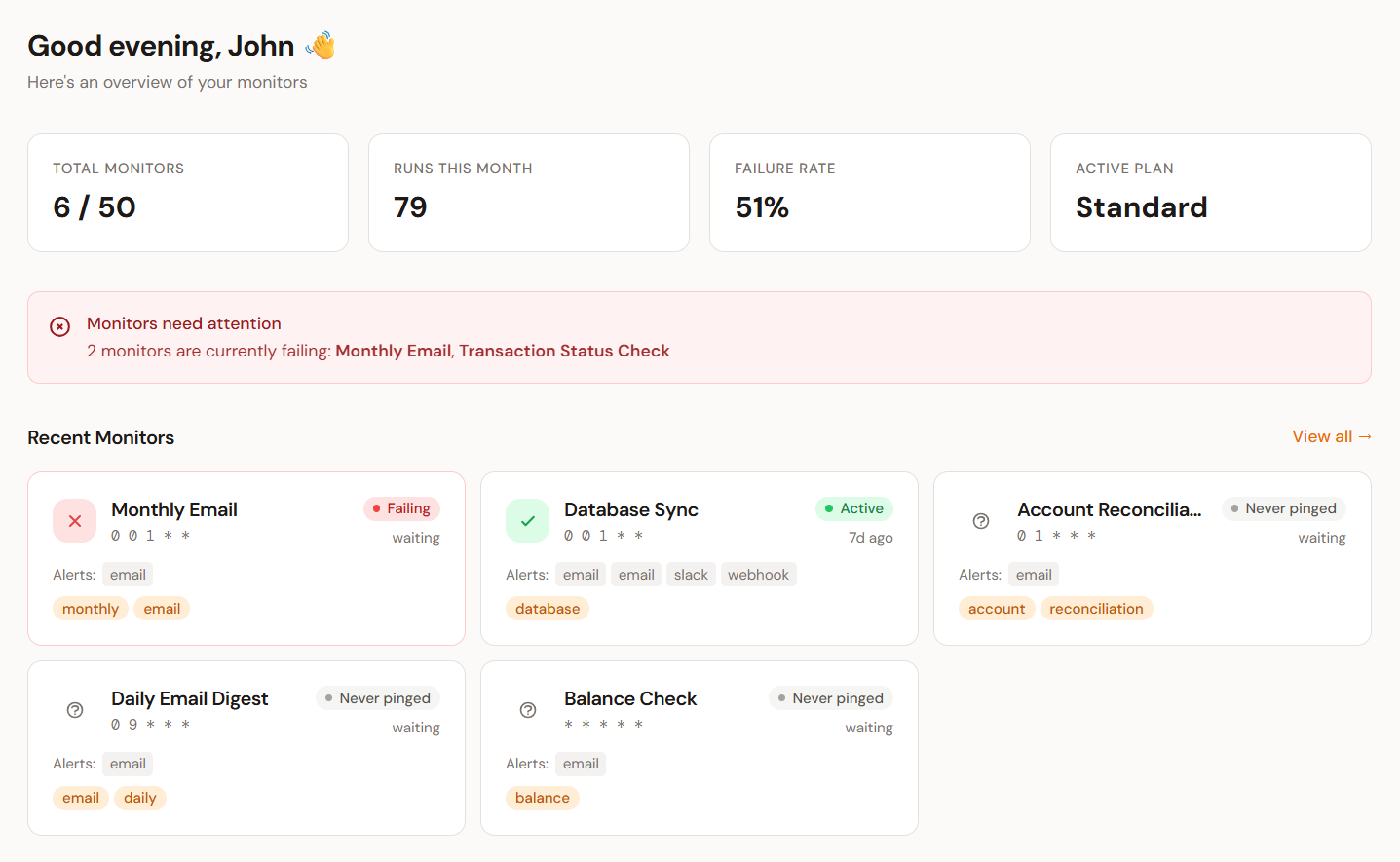
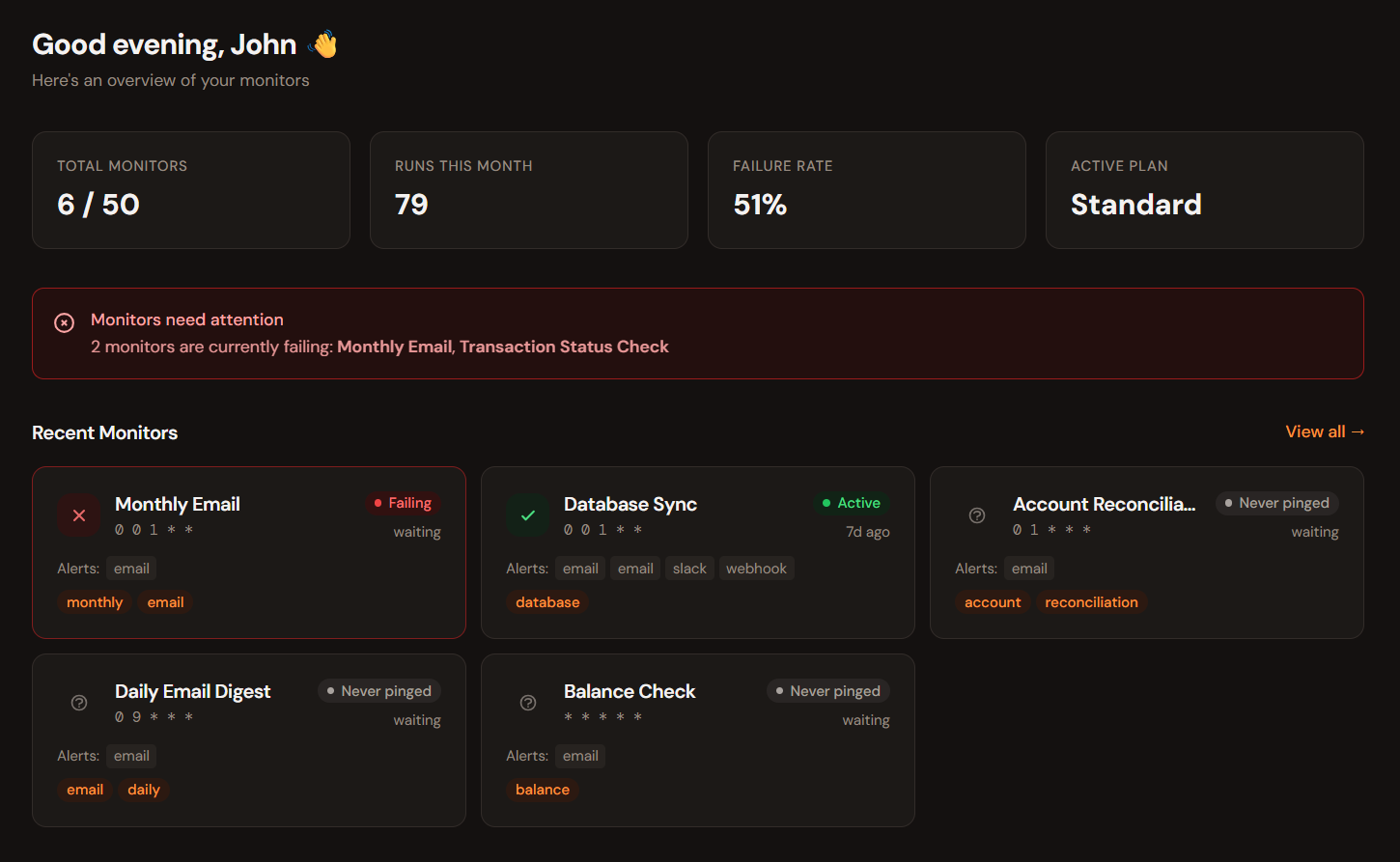
Monitor overview
All your jobs at a glance
Every monitor shows its current status, last run time, and next expected run. Healthy jobs stay quiet. Anything that needs your attention surfaces immediately.
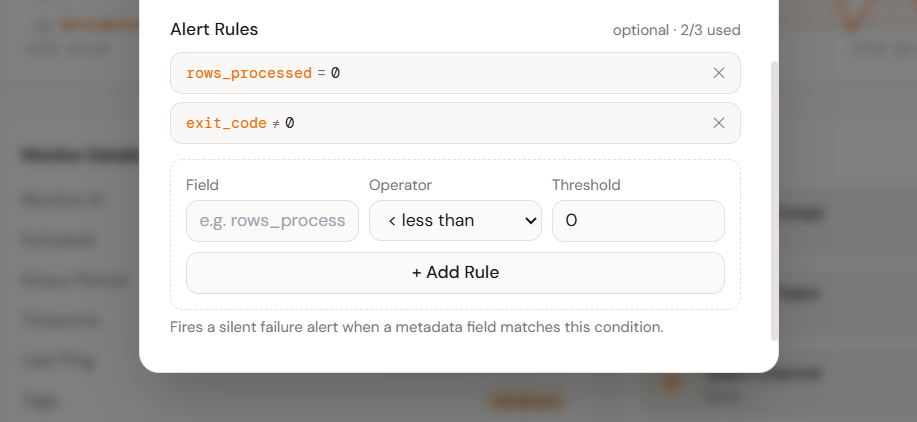
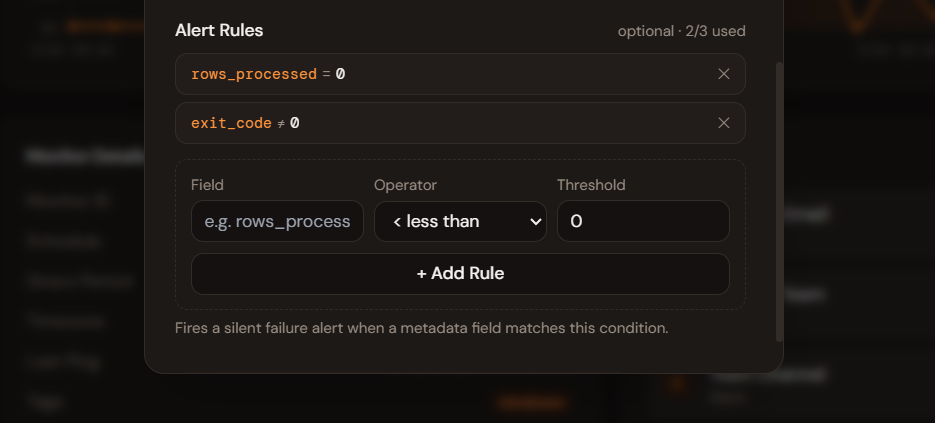
Silent failure detection
Rules on what your job actually did
Attach metadata from your job — rows processed, records synced, API calls made. Define alert rules against those values. Get notified when a job succeeds but does nothing, before a customer notices.
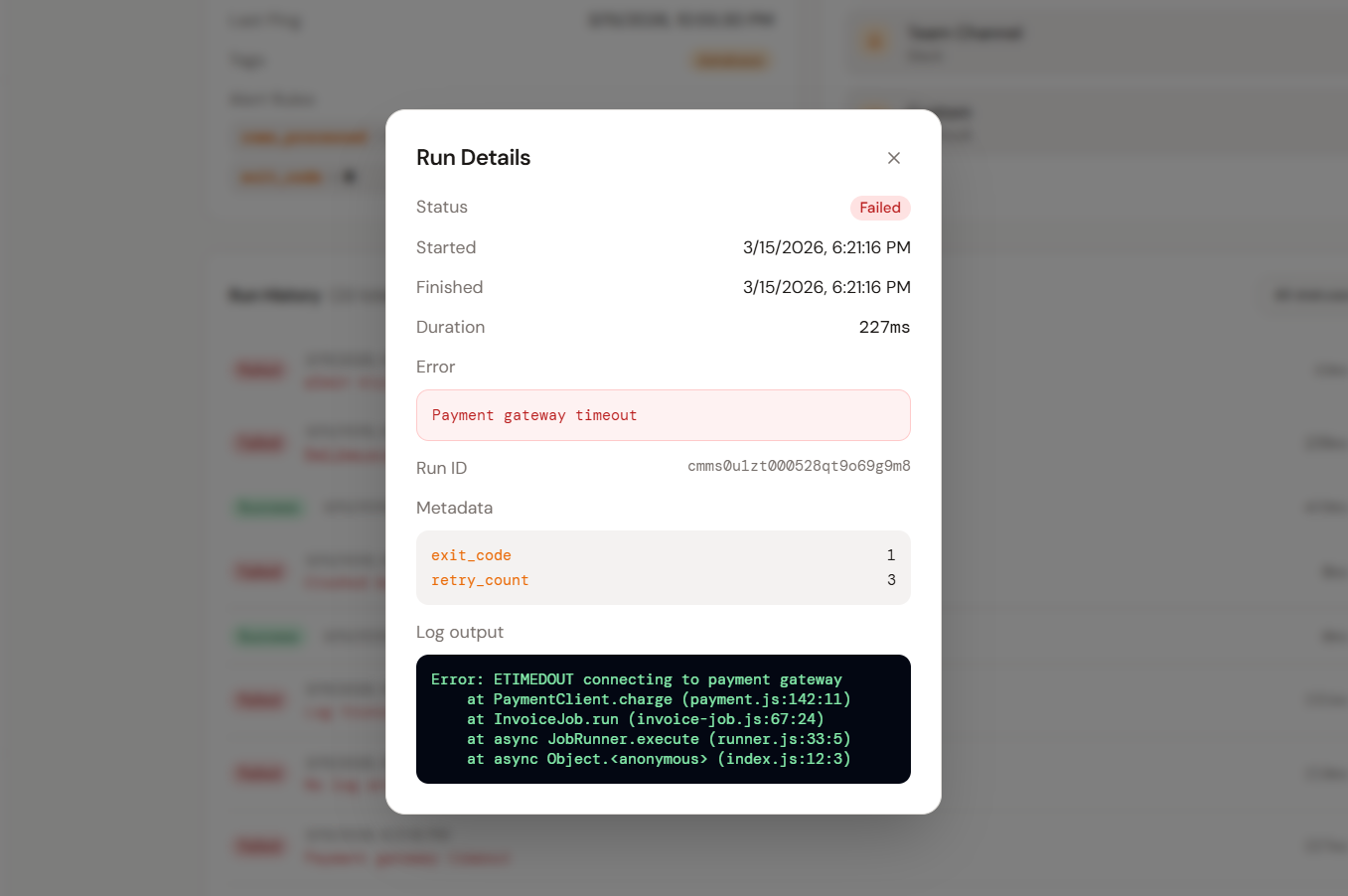
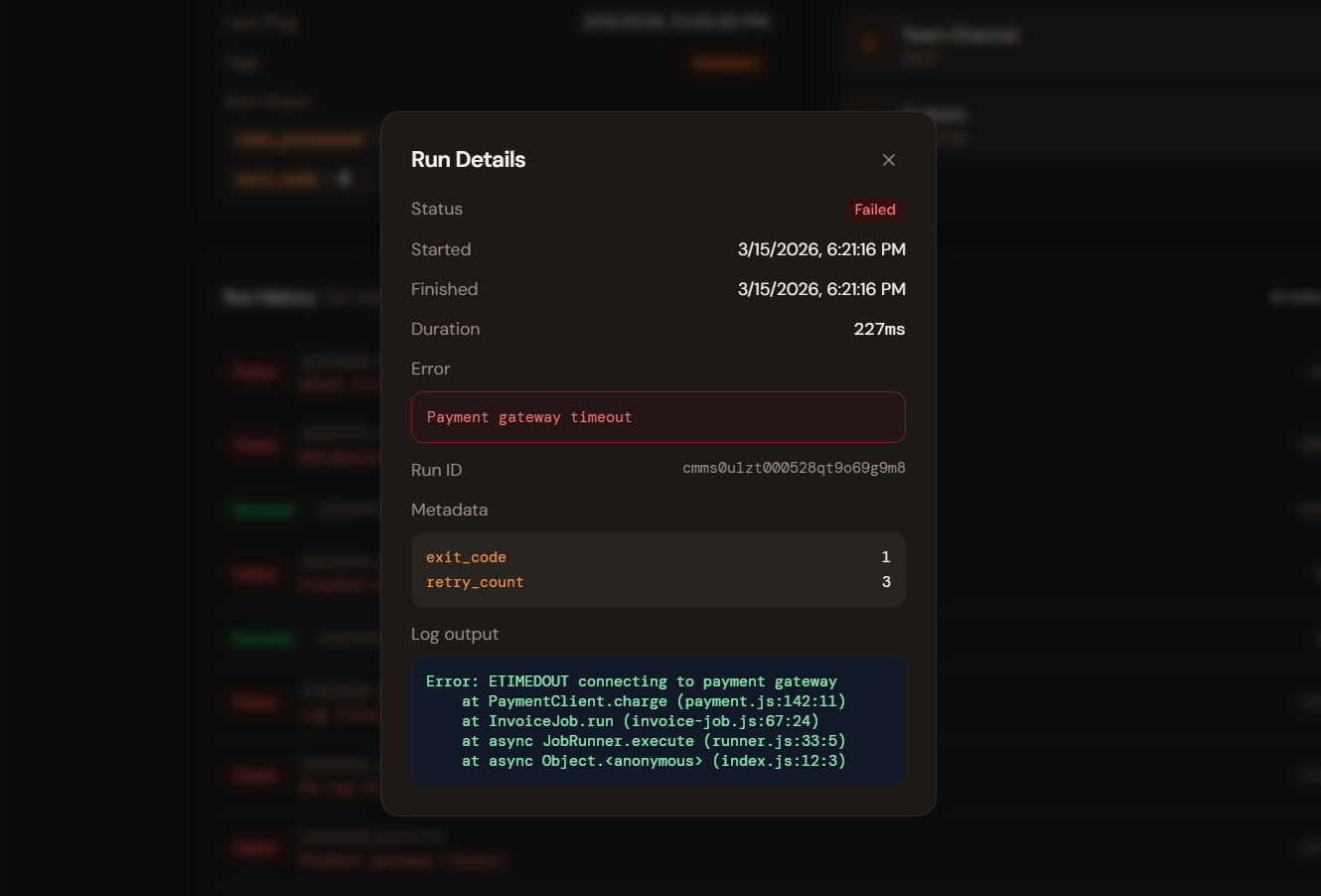
Run detail
Full context without digging through logs
Every run records its metadata, duration, status, and — on failure — the full log output attached by your job. Everything you need to diagnose a failure is in the dashboard, not buried in CloudWatch or Datadog.
Pricing
Start free. Upgrade when you outgrow the limit. Downgrade or cancel anytime.
Questions
Stop finding out from
your users that something broke.
Free to start. No credit card. The moment something breaks, you'll know — before anyone else does.